Learning management for higher education
Attendance that cannot be quietly rewritten.
A conventional LMS in every respect but one. When a professor finalizes a lecture, a Merkle root of that session’s attendance is committed to a permissioned blockchain — so nobody, including an administrator with full database access, can rewrite the record afterwards.

The problem
A register is a document that can be edited.
Attendance decides who is allowed to sit the examination. In most institutions the thing that decides it is a row in a database, and a row can be updated. Afterwards it looks exactly as it always did — same columns, same student, a different answer.
The gap is not prevention. It is that nothing is left behind when a record changes hands. Aegis does not stop an administrator from editing a database. It makes the edit impossible to hide.
The differentiator is not the QR code
Networking Protocols · SE CYSC A · 18 Aug
| Student 04 | PRESENT |
|---|---|
| Student 05 | PRESENT |
| Student 06 | PRESENT |
| Student 06 | ABSENT |
Who would know?
Illustrative rows. Every other screenshot on this page is a real session.
The scan
The code on the screen is worth about twenty seconds.
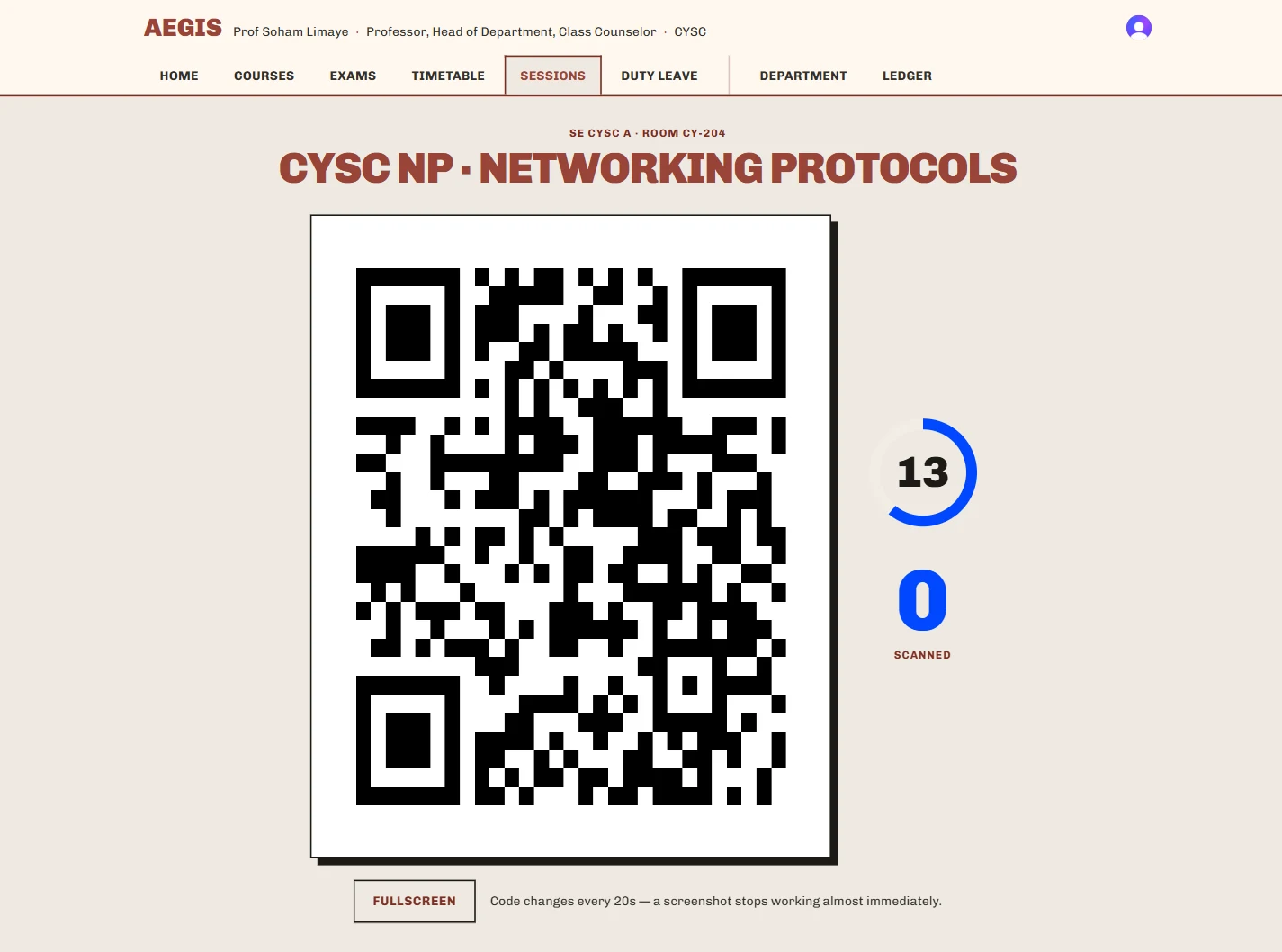
The projector shows a one-time token — 128 bits of randomness, valid for a single rotation window. The next one is pushed to the screen, so it changes without anybody refreshing anything. A photograph of the display, messaged to somebody sitting elsewhere, stops working almost immediately.
How often it rotates is the professor’s call when they open the lecture: eight seconds to thirty, clamped server-side to a sane range. The faster it turns, the narrower the window — and the more often a student in the back row has to look up.
20sDefault window
128Bits per token
1Use per token
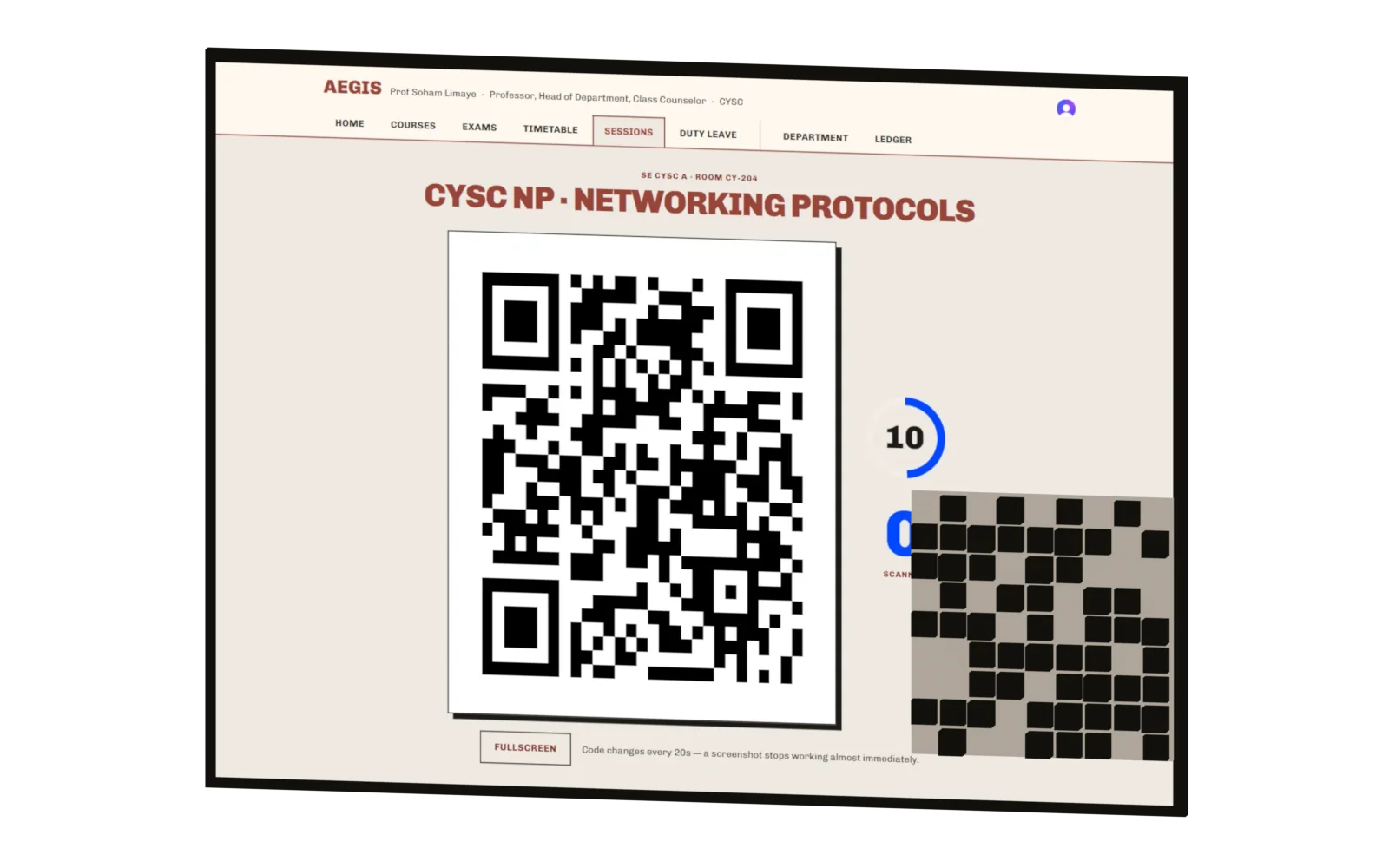
The projector view, with its code lifted out and reshuffling. Every cell that changes is a cell a photograph gets wrong.
No device registration
Students are never asked to enrol a phone. The server observes a salted device identifier and scores each scan for risk — the dominant signal being one phone marking several students present, which is the actual proxy attack and needs no registration to detect.
Raw identifiers are never stored. Nothing is ever auto-rejected. The professor sees the score and decides.
The review
Nothing becomes permanent until a person says so.
Attendance is staged, not authoritative. This is the act where the product is deliberately ordinary: a roster, a dropdown, a text field. The ledger underneath is only worth having because what goes into it was checked by somebody who was in the room.
- 01
A scan arrives
It creates a pending record. It is evidence, not a verdict — and it is not on the chain.
- 02
The professor reviews
The roster shows who scanned, who did not, and what each scan scored for risk.
- 03
A correction needs a reason
Changing a status is possible and normal. Doing it without typing why is not — and the reason is recorded permanently, in the student’s own view of the record.
- 04
Finalize locks the session
Edit controls disappear, the totals are frozen, and only now is a Merkle root built and committed.
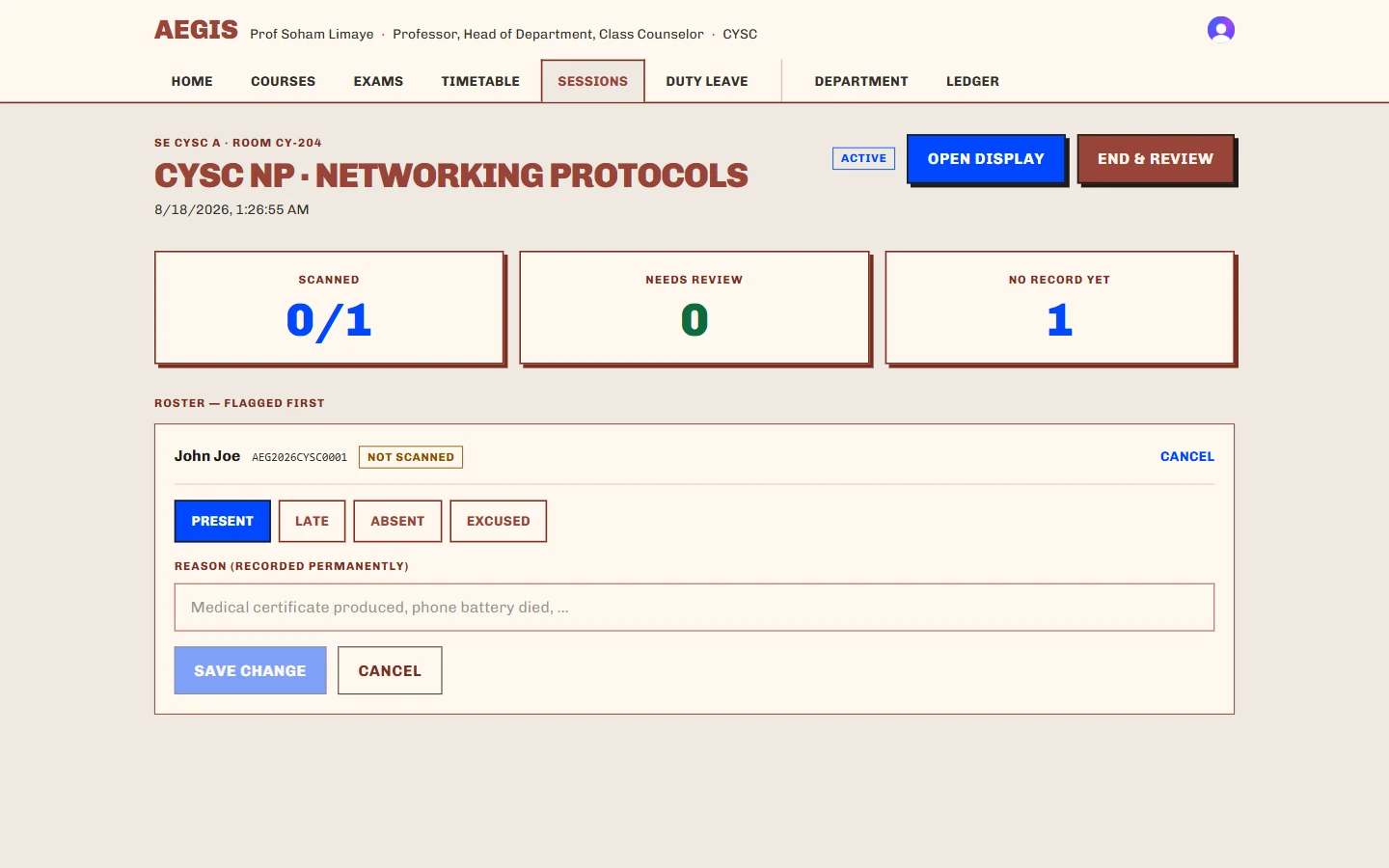
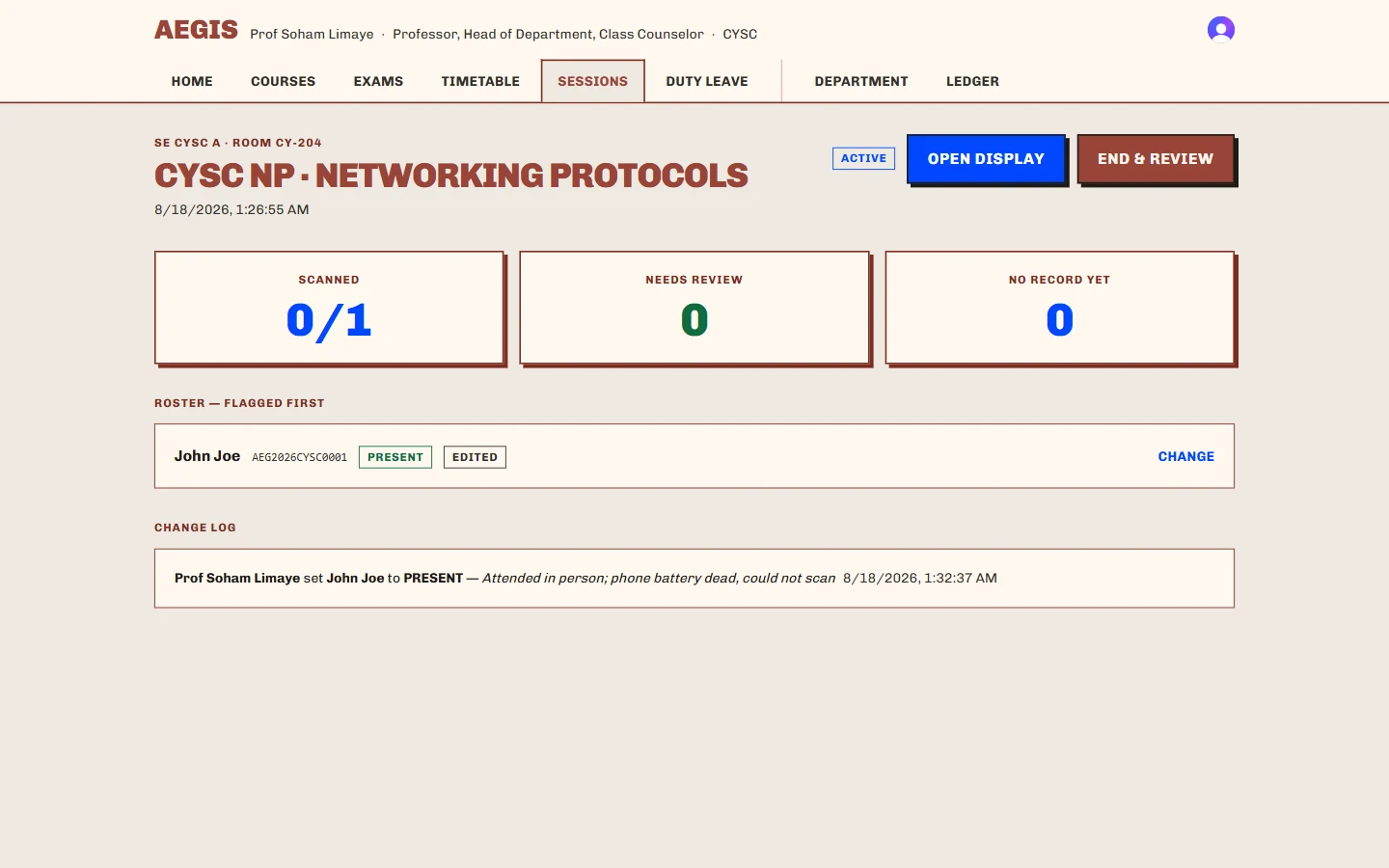
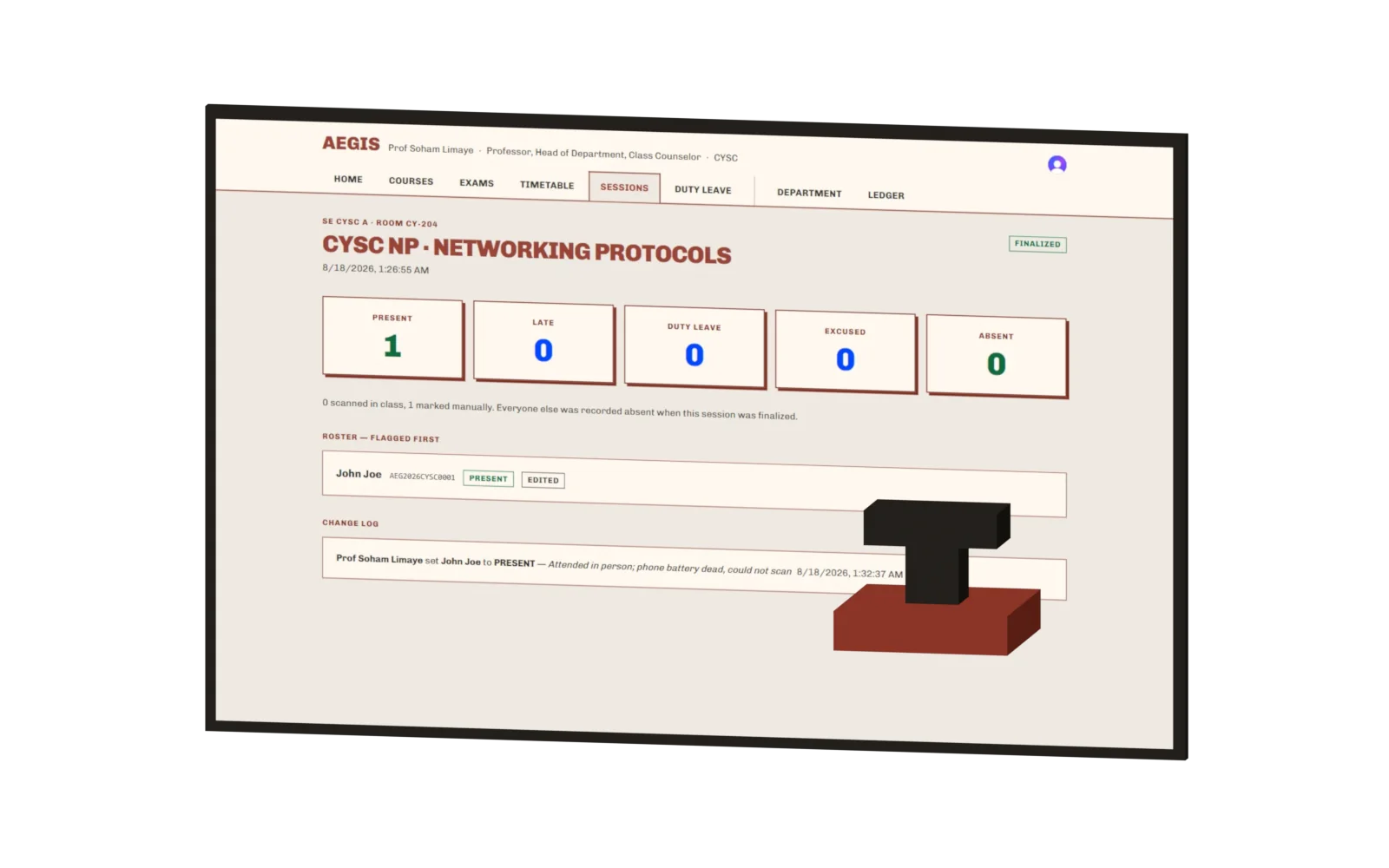
The session after finalizing: totals frozen, edit controls gone.
“0 scanned in class, 1 marked manually.”
The commit
A whole lecture collapses into one root.
Finalizing hashes each student’s record into a leaf, pairs the leaves upward into a Merkle tree, and commits the single root to a permissioned chain. Change any status afterwards and the root no longer matches — which is the entire point, and is asserted by a test rather than by a sentence.
What a leaf actually contains
[ bytes32 studentHash,  // salted, one-way
  uint8   status,       // 1 PRESENT · 2 ABSENT · 3 LATE · 4 EXCUSED
  uint64  finalizedAt ] // and the authorizing faculty signature
No name. No roll number. No email address. No PII, ever.
The salt lives in a server environment variable and never leaves it. Without it the hashes are not reversible by anyone — including whoever is running the chain.
- 1 · Present
- 2 · Absent
- 3 · Late
- 4 · Excused
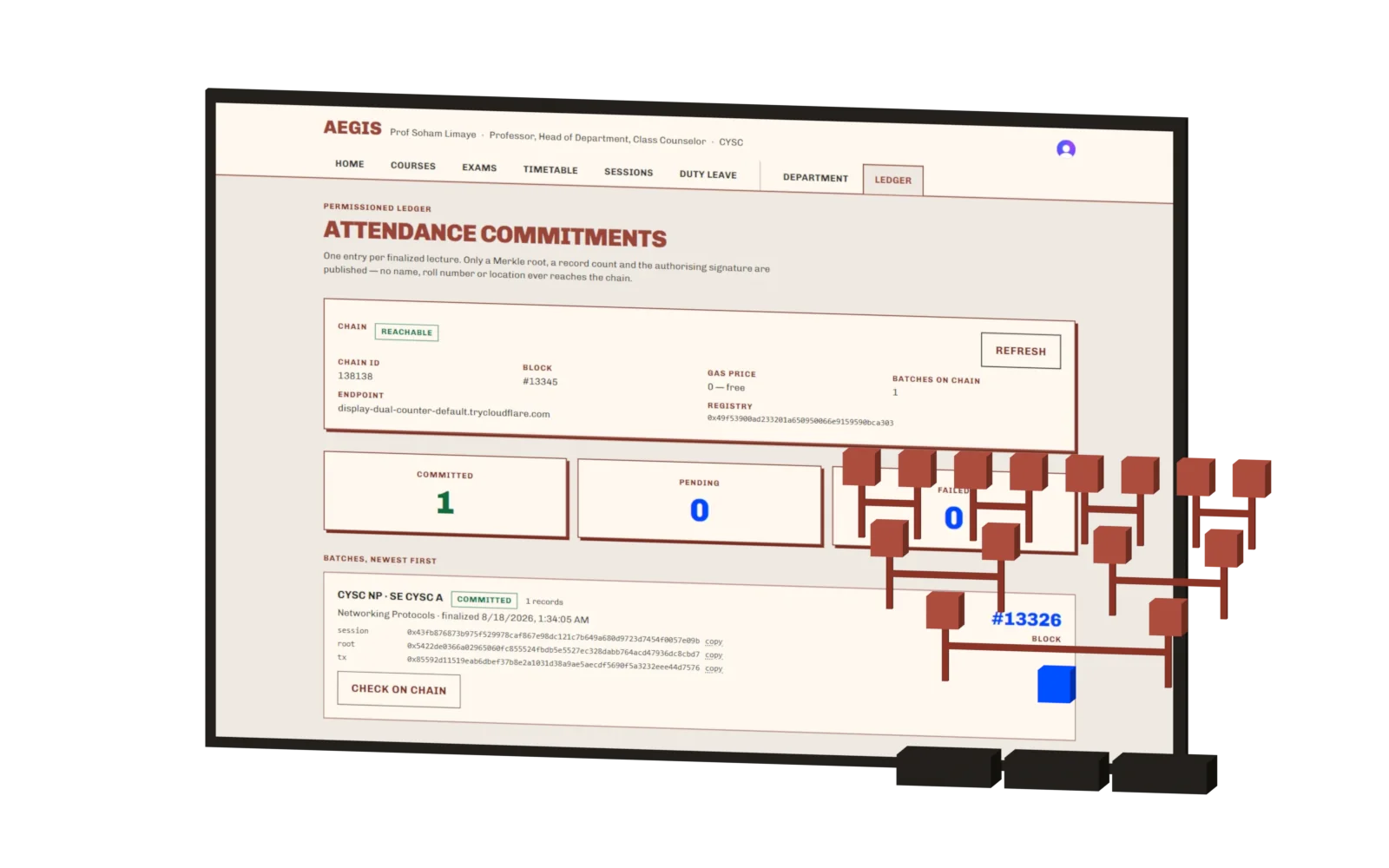
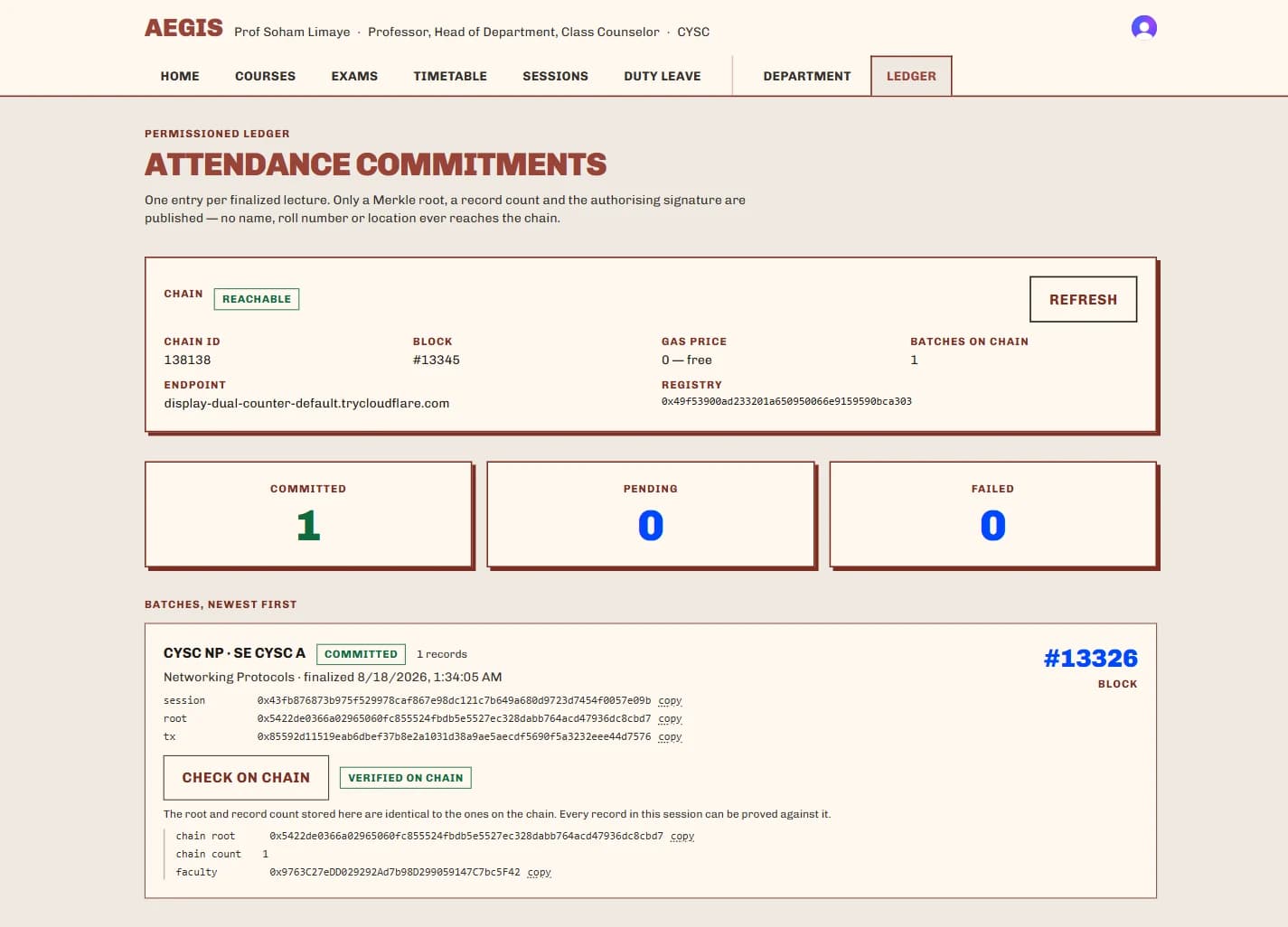
The committed batch on the ledger page, and the tree behind it: eight records pairing upward into the single root that was actually written.
4ValidatorsQBFT, one may fail
138138Chain idpermissioned, not public
2sBlock timezero base fee
NoneOn-chain PIIsalted hash only
Four validators, not three.
The consensus needs more than two-thirds agreement. Four validators tolerate one failing; three do not. The chain is permissioned and runs at a zero gas price, so committing a lecture costs an institution nothing per lecture and no outside party can write to it.
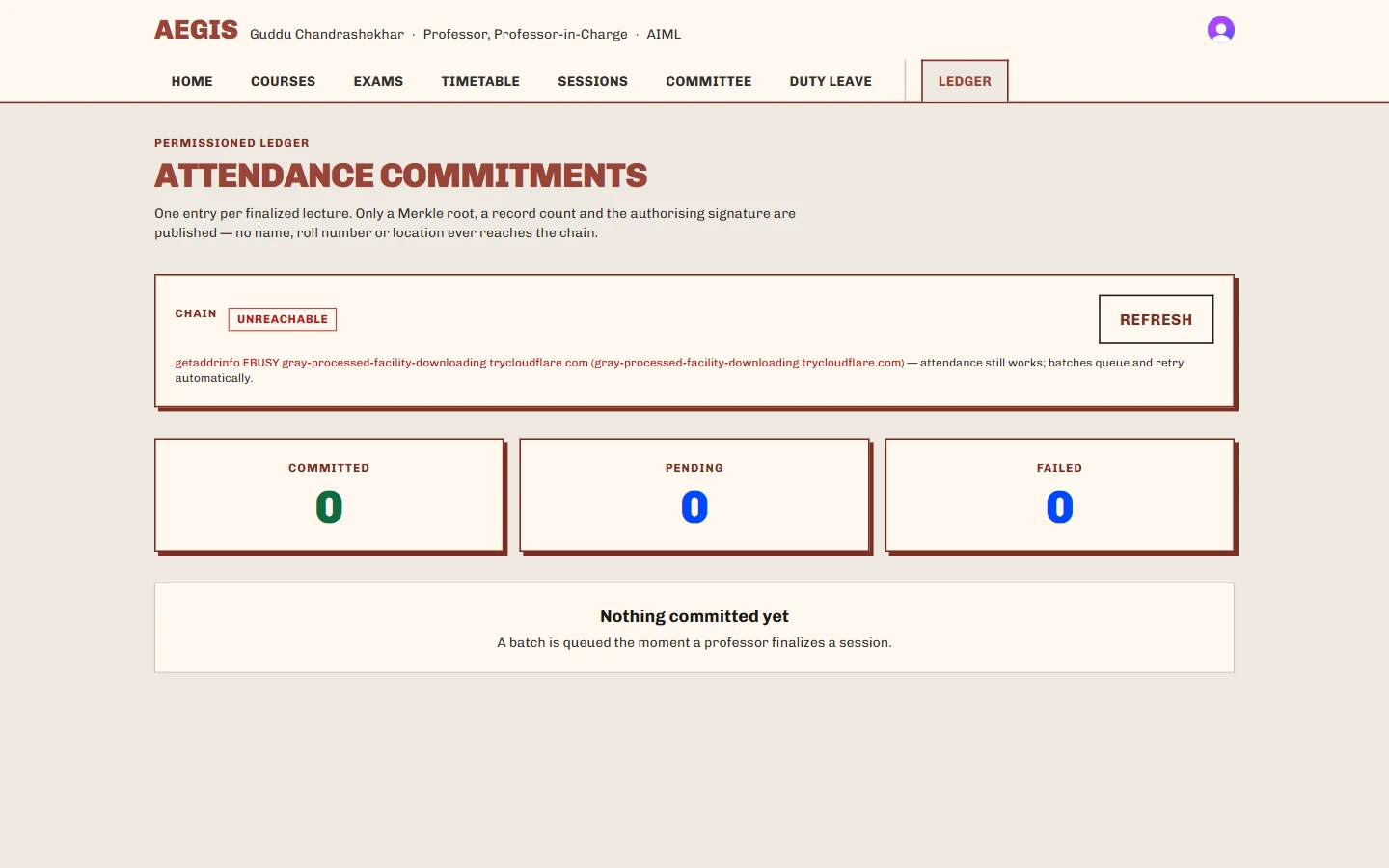
When the node is unreachable the app says so, prints the reason, and keeps taking attendance — batches queue and retry. A ledger that takes the class down with it is not a feature.
The proof
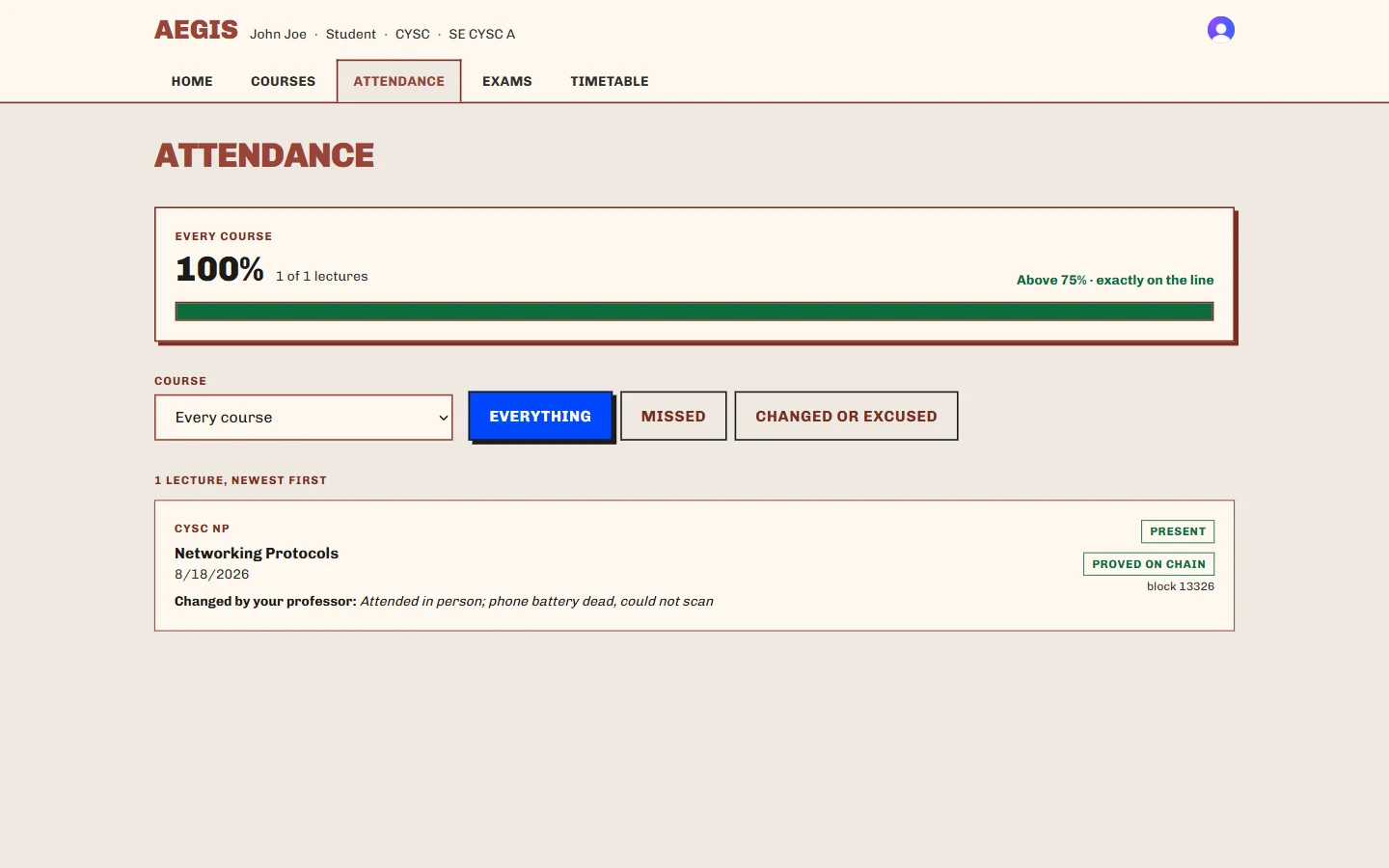
Proved on chainblock 13326
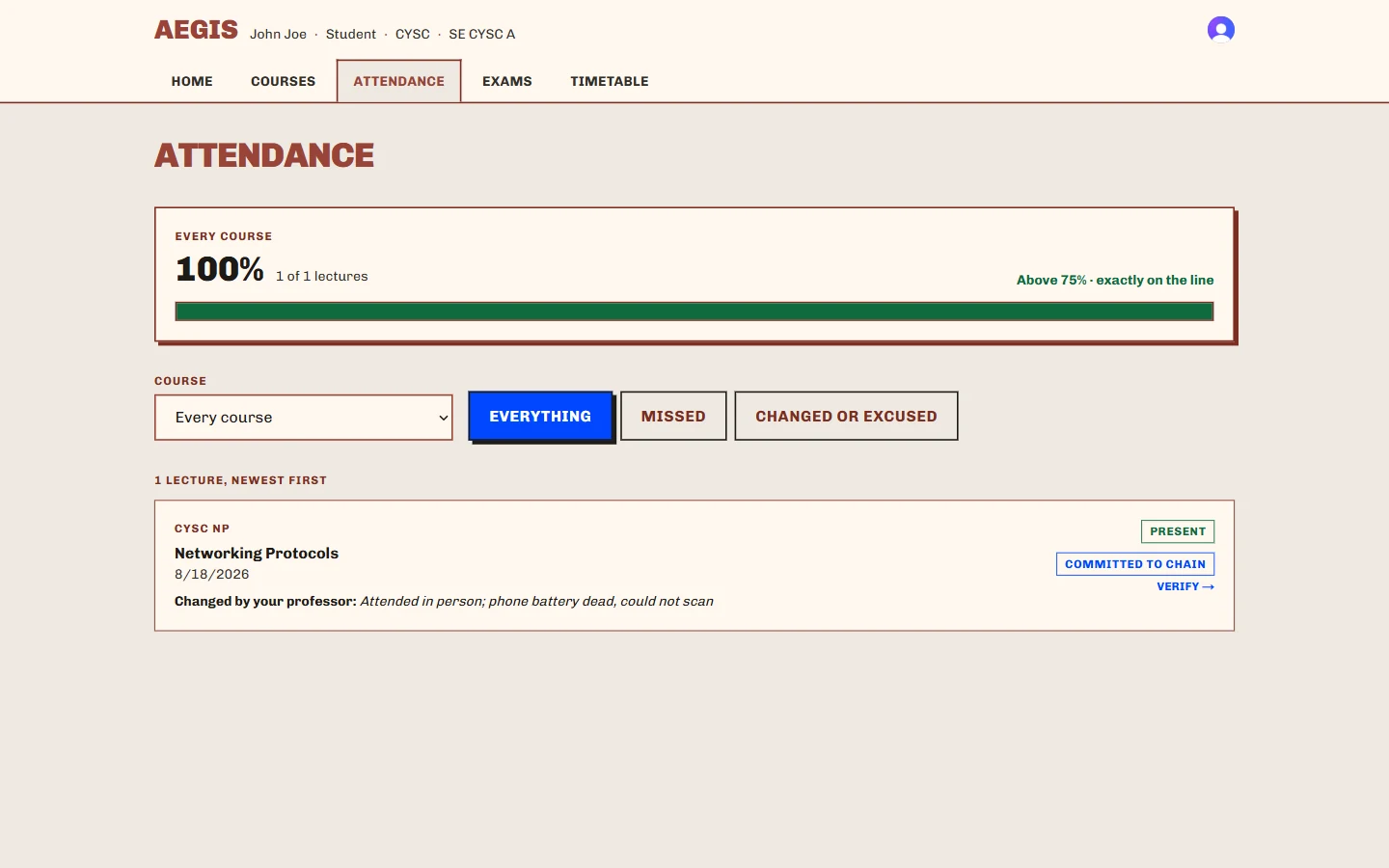
The proof is not an internal audit tool. A student opens their own attendance and the record is re-read from the chain and compared in front of them — the stored root, the leaf count, the block it landed in.
If a professor corrected the record, the reason they typed is shown to the student verbatim. Not a status change with nothing attached: the sentence a person wrote, and their name against it.
Corrections append, never overwrite
A fix made after a session is finalized does not edit the committed batch. It writes a corrective entry that links to its parent, and that entry is committed in turn. The old value stays exactly where it was, visible, with the correction attached to it.
This is the one operation the ledger exists to make impossible to fake.
The roles
Everybody sees their own truth, and only their own.
The same URL resolves differently for six kinds of person, and the difference is capability, not a hidden menu item. A head of department who opens the institution console is refused and told which tab is theirs. An operator opening somebody’s dashboard for support gets a read-only frame and a line in the audit log.
Every check asks whether this person may do this to this resource — never just whether they hold the capability somewhere.
Dean
The institution
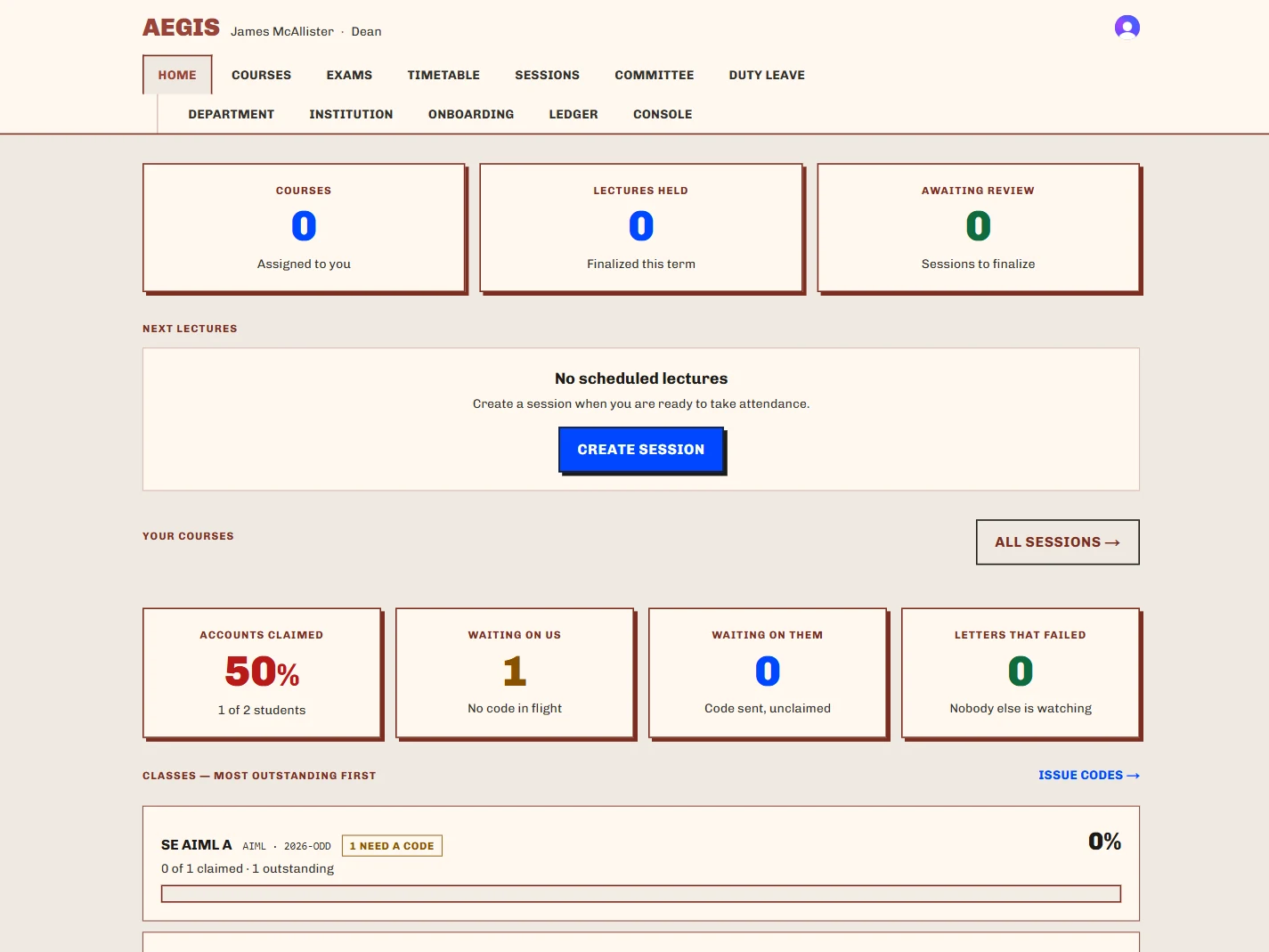
Every department, sorted lowest attendance first, with any department expandable inline.
Head of Department
One department
Divisions, courses and staff — and the rule that a course needs a teacher before a lecture can open against it.
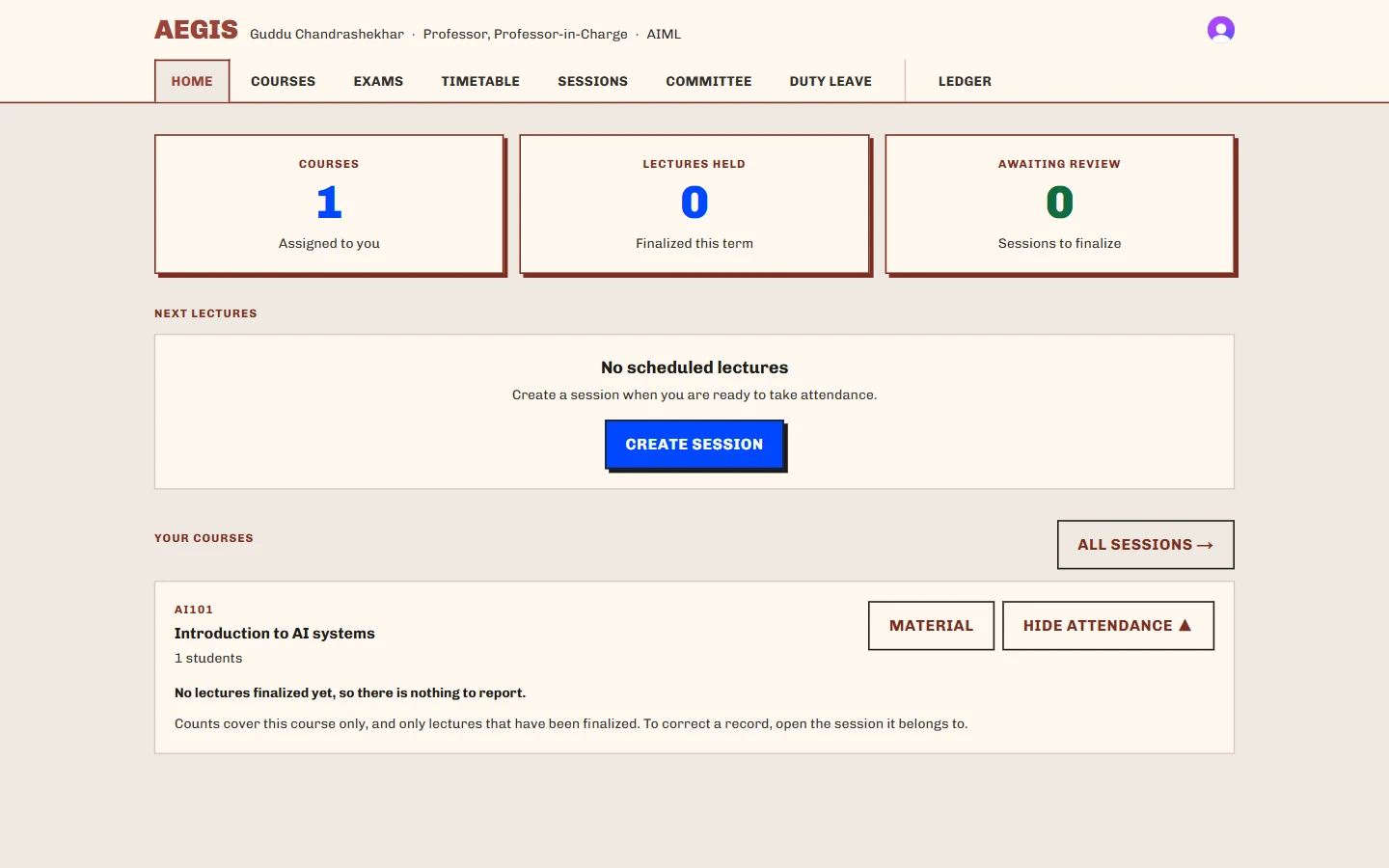
Professor
Their own teaching
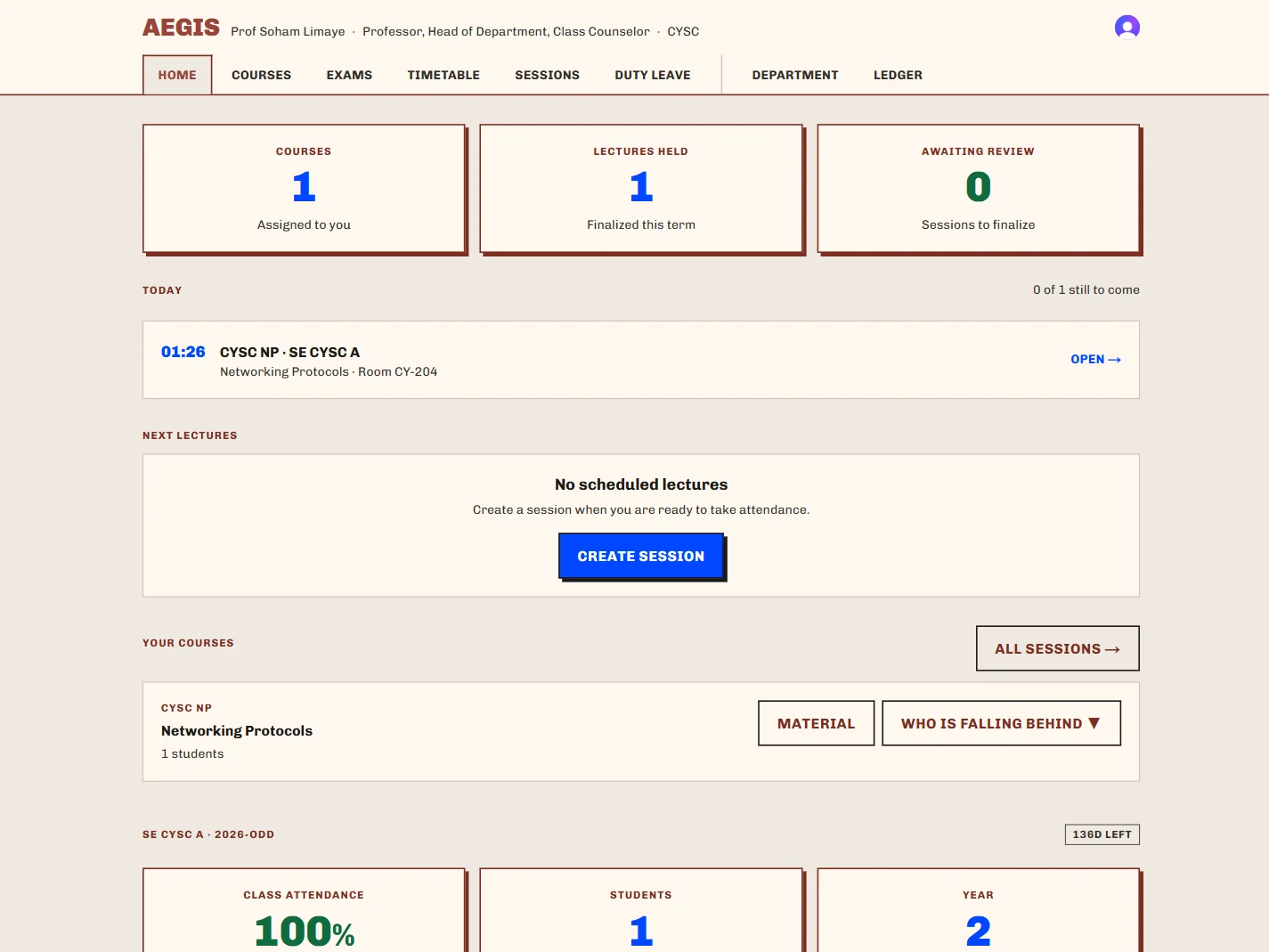
Courses, lectures held, sessions awaiting review, and who is falling behind.
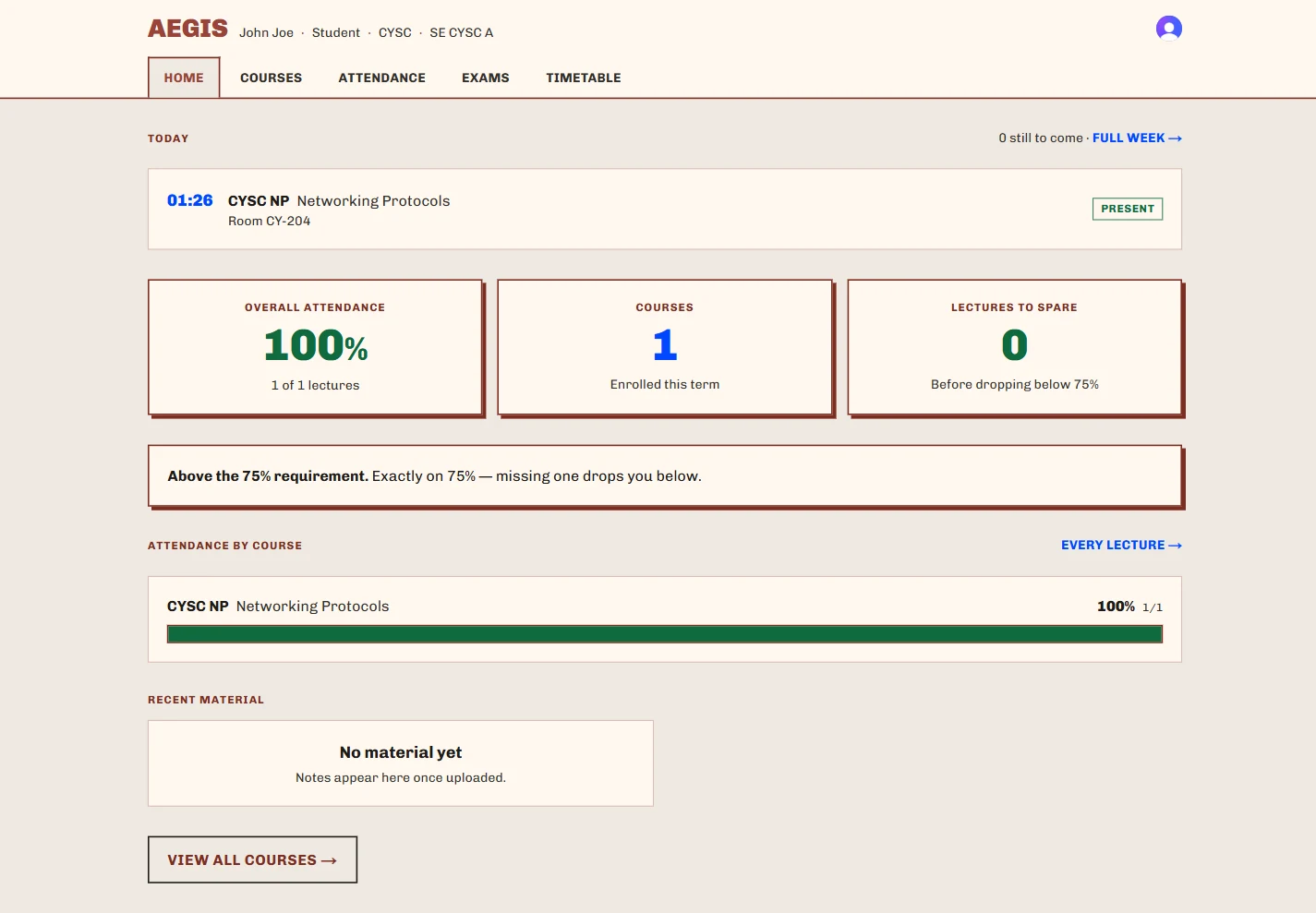
Student
Their own record
Standing against the 75% rule, stated concretely, and every attendance record they can verify themselves.
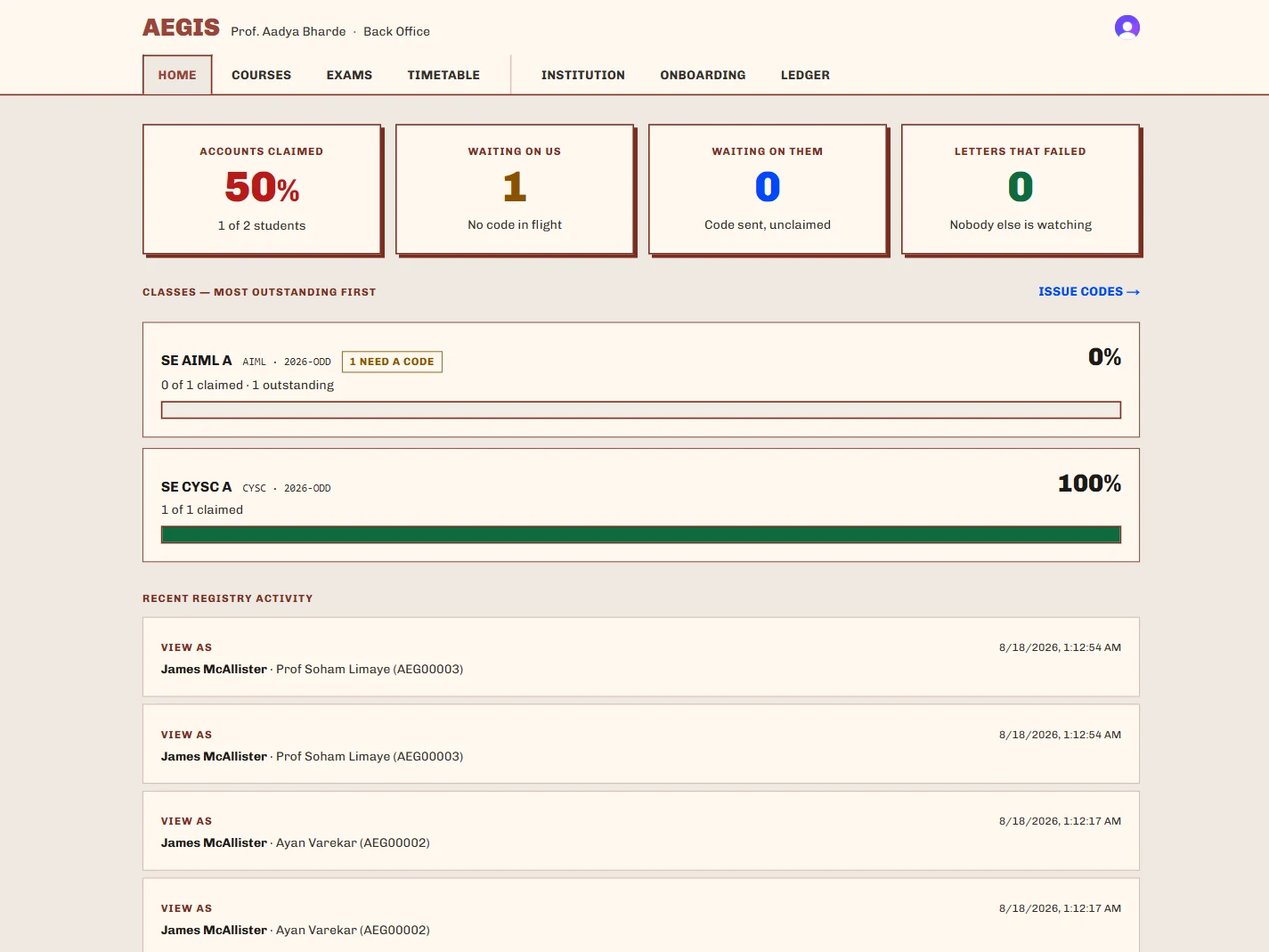
Back Office
The registry
Accounts claimed, waiting on us, waiting on them — and the letters that failed to send.
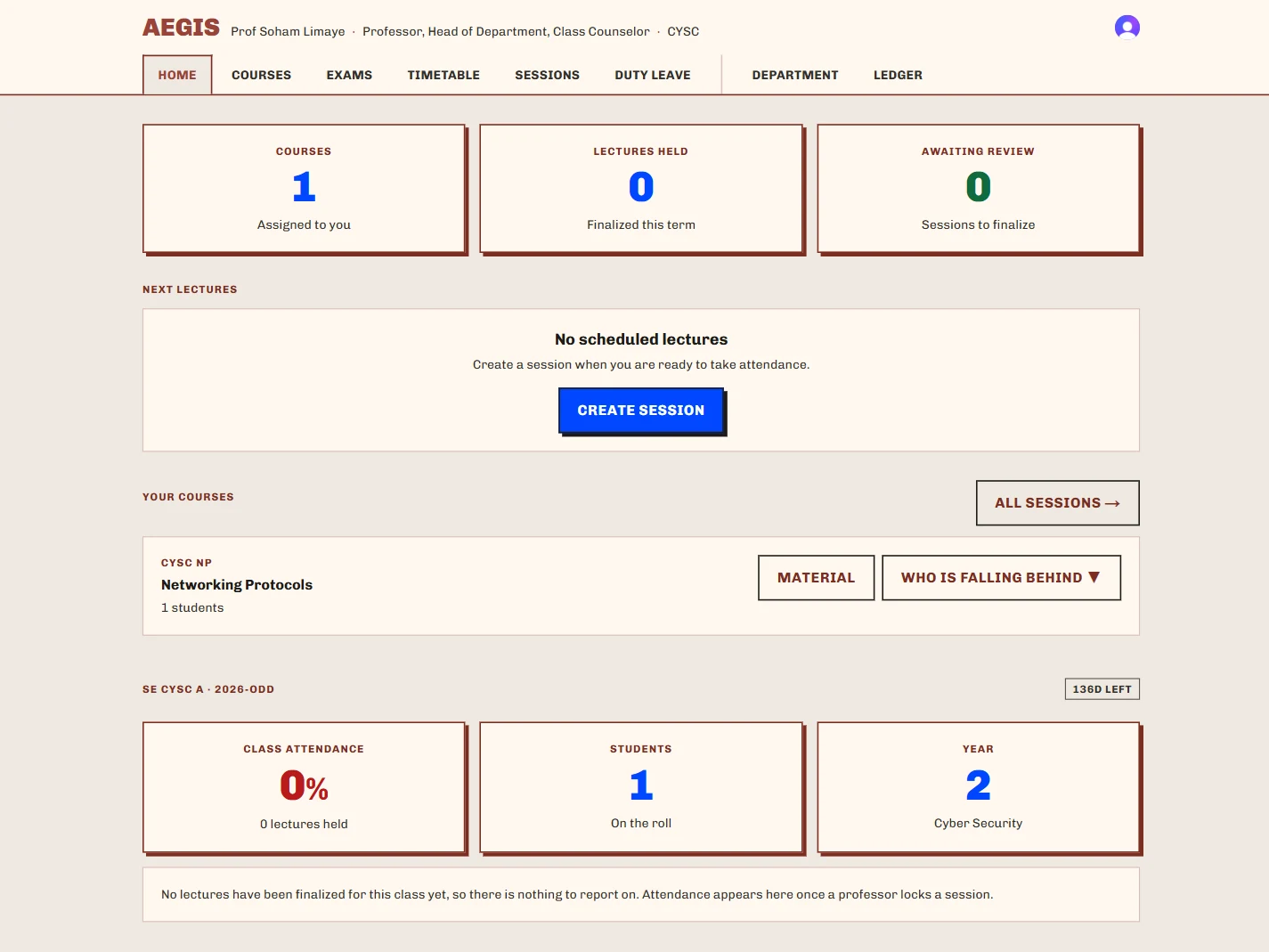
Class Counselor
One class, until a date
Appointed with a “valid until”, so the grant lapses at the end of the semester on its own.
75%
The standing rule, stated concretely rather than as a percentage a student has to interpret: exactly on 75% — missing one drops you below.
Approved duty leave counts as attended, in exactly one place in the codebase, so the number a student sees and the number a committee argues about cannot drift apart.
The institution
An empty database on Monday. A working college on Tuesday.
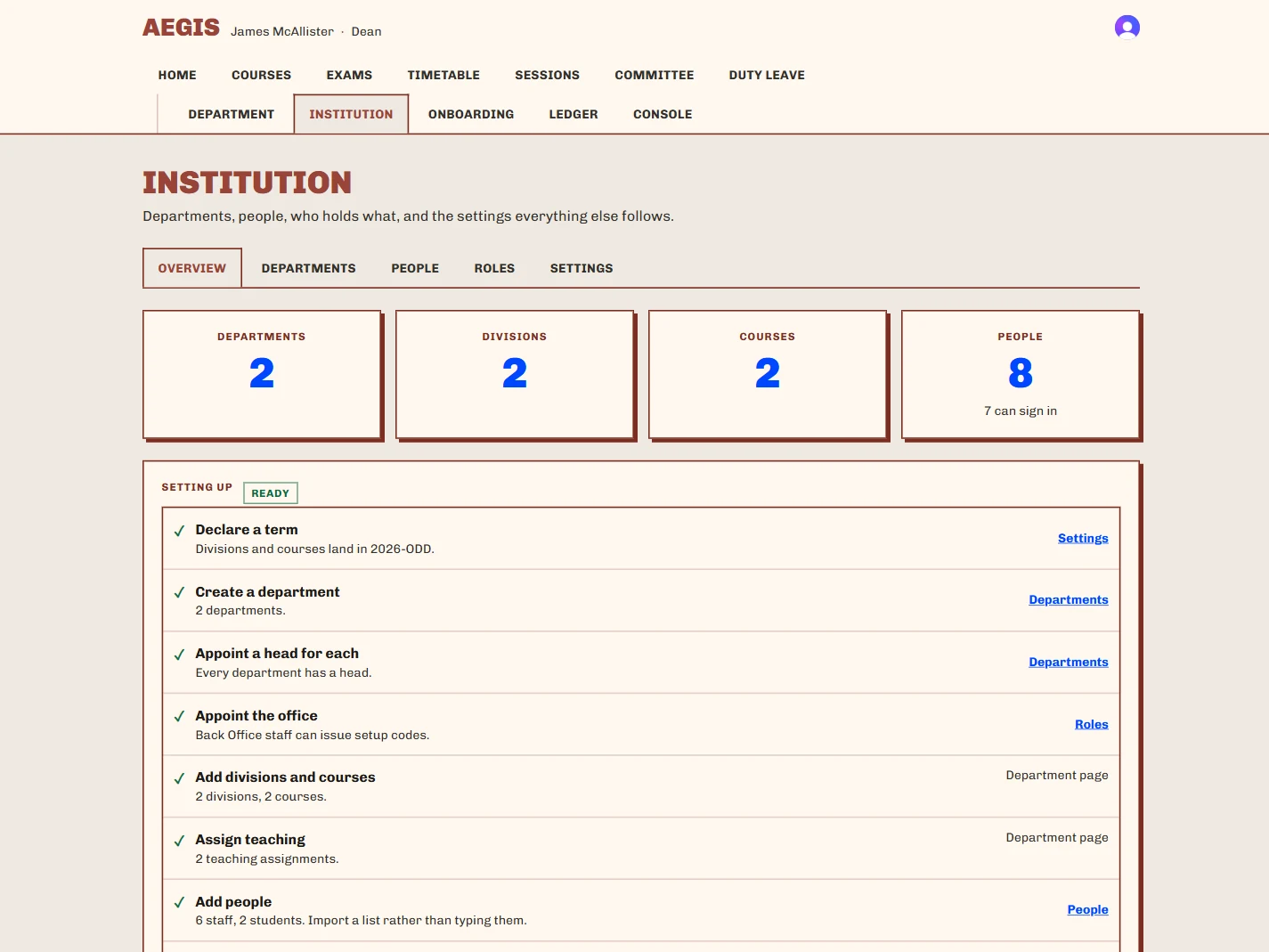
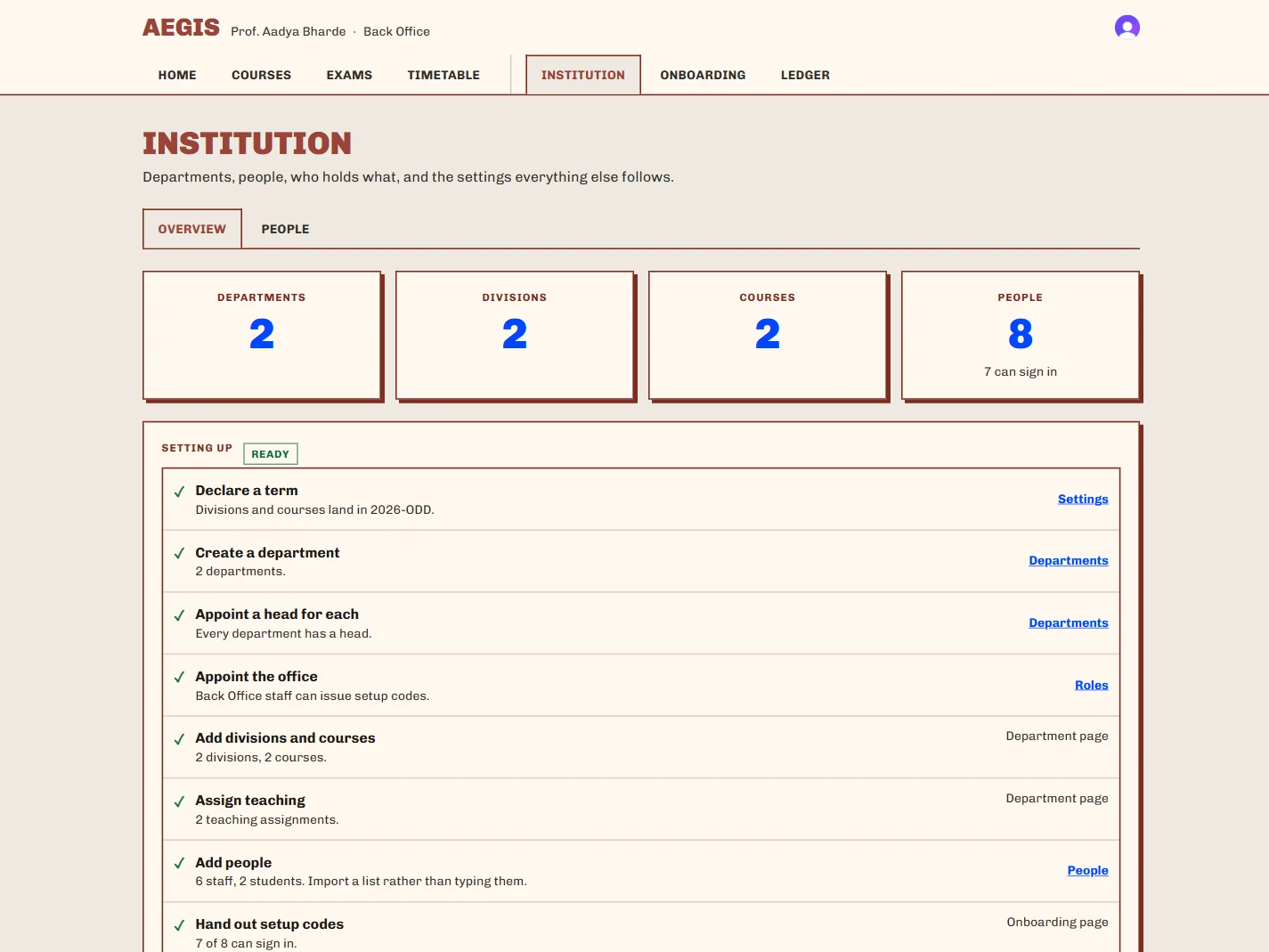
Aegis is sold to institutions, so the first hour matters as much as the hundredth. There is no seeding script to run and no engineer to book: the person who signs up first claims the founding appointment, and everything after that is done in the browser by the people who will use it.
- Cold start with no command line
- An empty deployment becomes a working institution through an eight-step checklist in the browser: departments, divisions, courses, people, appointments, academic terms, identifier patterns, onboarding codes. Each step links to the tab that satisfies it and turns green when it does.
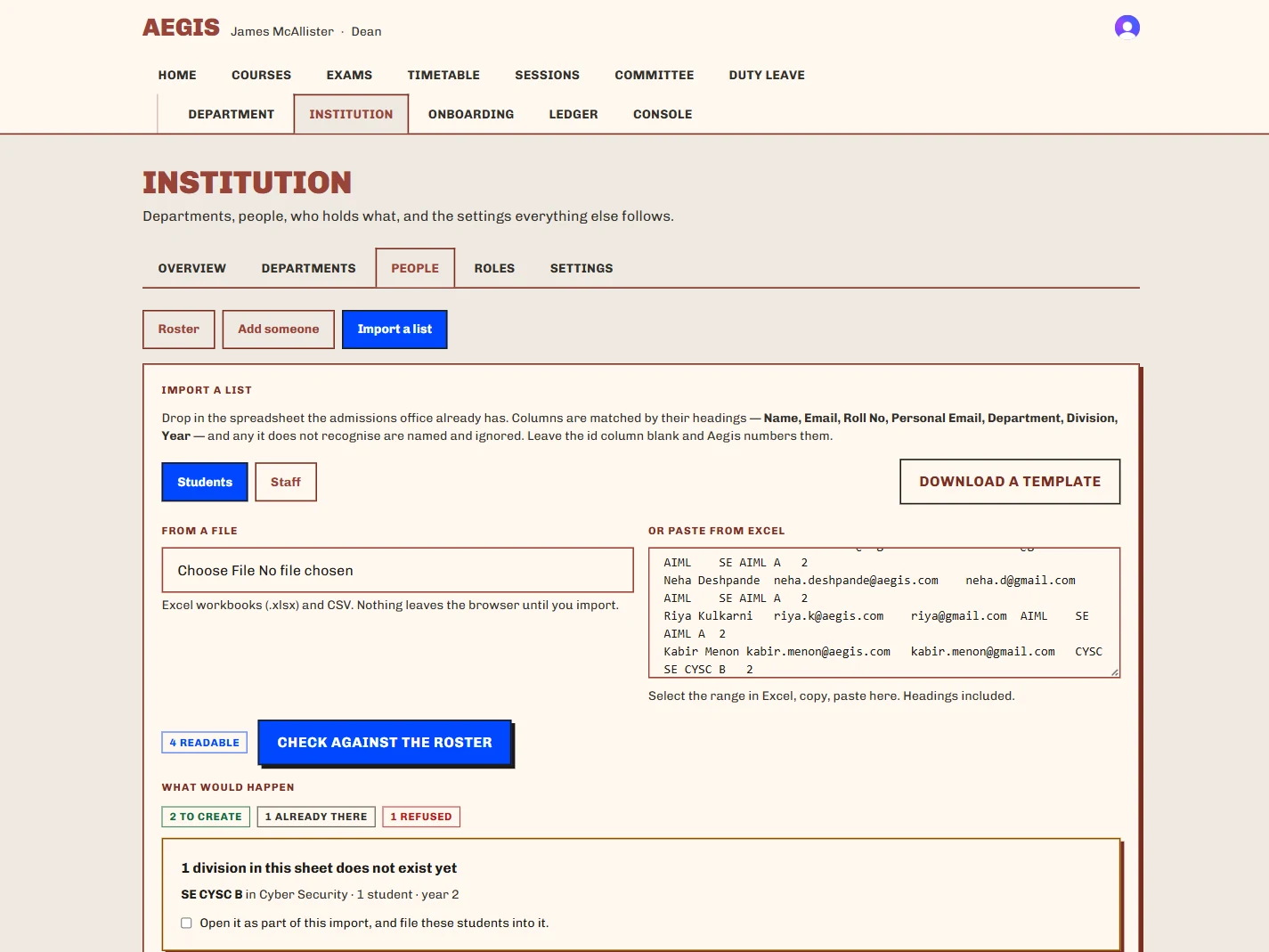
- Bulk import that tells you what it will do first
- Paste rows out of a spreadsheet and the preview reports what would happen — how many to create, how many are already there, how many are refused and why, and which division does not exist yet. Nothing is written until you confirm.
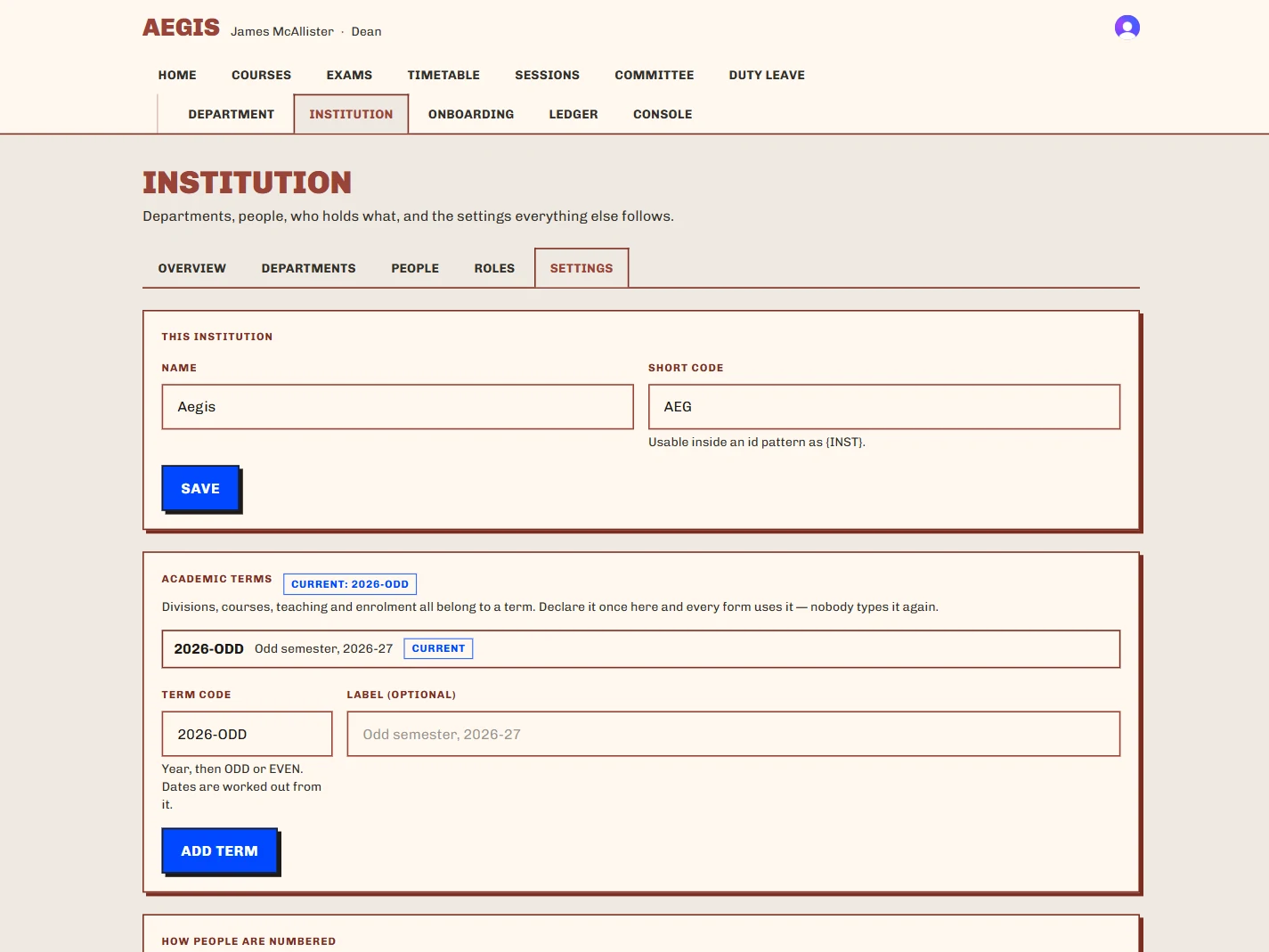
- Your identifiers, your terms
- Student and staff identifier patterns are yours to define, with live previews and running-number counters, so the ids in Aegis are the ids your registry already uses.
- A support console that cannot write
- An operator can open any person’s dashboards to see what they see. The role holds no capability that writes, every mutation checks the acting user rather than the viewed one, and every view is written to an audit table.
- A design system audited in CI
- Every colour pair that ships clears WCAG AA, checked by a test rather than by eye. The screenshots on this page are the product, unretouched.
Before you ask
Enterprise identity — SSO, SAML and SCIM provisioning against your directory — is pending configuration, not shipped. Today, accounts are claimed against the roster with a setup code issued by your registry. The rest of what is coming is set out at the end of this page.
What ships next
None of this is built yet.
Everything before this section is running software with a screenshot of a real session behind it. This is the roadmap, and it is set apart so that nobody has to guess which list they are reading.
It is an LMS built around the record it keeps, so the shape of what comes next follows from that: work that is worth crediting should be as checkable as attendance already is.
01 — Adaptive learning
Dynamic mastery paths
Difficulty, format and pace adjust to quiz results and diagnostic assessments, rather than marching every student through the same modules in the same order.
A Socratic tutor, bounded by the course
An assistant trained strictly on the material, which questions rather than answers — and can re-explain the same concept as an analogy, as a diagram, or as code.
Content that changes format
Turn a recorded lecture into a structured summary, a quiz, an audio version for the commute, or a mind map.
02 — Collaboration
Study pods
Students working on the same topic paired automatically, in a time zone that works, for peer review, timed focus sprints and a shared whiteboard.
Annotation inside the material
Comments land on a video timestamp, a paragraph of a PDF or a block of code — so the discussion sits in the material instead of in a detached forum.
Mentorship matching
Junior learners matched to alumni and advanced peers for scheduled office hours and portfolio reviews.
03 — Authoring
A course co-pilot
Upload raw notes, a slide deck or a lecture recording and get back a structured syllabus, draft rubrics, a question bank and chapter markers.
Intervention before the failure
Early-warning analytics that tell an instructor a student is overloaded, drifting or stalled while there is still an assignment left to save.
Modular learning objects
Micro-lessons that can be repackaged, remixed and shared across courses instead of rebuilt for each one.
04 — Microlearning
Three-minute modules on a phone
Concept cards, terminal sandboxes and drag-and-drop drills, with offline sync for a commute with no signal.
Gamification rooted in mastery
Skill trees, streaks a student sets themselves, portfolio progression and workshops that unlock — not a badge for logging in.
Sandboxes in the page
Live code runners, design viewers, spreadsheet playgrounds and clinical decision simulators, with no tab to switch to.
05 — Credentials and careers
Verifiable skill credentials
Built on the ledger above
Cryptographically signed micro-credentials a graduate can hand to an employer and an employer can check — the same machinery that already anchors attendance.
Modules mapped to jobs
Completed work matched against live industry skill requirements and against an institution’s own promotion benchmarks.
Proctoring that harvests nothing
A browser-safe assessment sandbox with behavioural monitoring that runs on the device and sends no video anywhere.
06 — Platform
Enterprise identity
Pending configuration
SSO, SAML and SCIM provisioning against your directory.
Timetable authoring
Next
Building the weekly timetable in the app — which is what duty-leave requests are raised against.
Examinations
Phase 4
Assessment and results, sitting on the same attendance-eligibility rules.
Who builds it
Aegis is built by Aysa Labs.
Aadya Bharde
Business
Ayan Varekar
Chief Technology Officer
Soham Limaye
Management and marketing
The permanent record
Ninety seconds, end to end.
One lecture, from the code on the projector to the block it ends up in. No narration — the product is on screen the whole way, and every frame of it is a real session.
What Aegis promises
No PII on-chain, ever
A leaf is a salted student hash, a status integer, a timestamp and the authorizing faculty signature. No name, no roll number, no email address reaches the chain.
Corrections append, never overwrite
A fix made after finalization writes a linked corrective entry. Rewriting history is the one thing the ledger exists to prevent.
Attendance is staged, not authoritative
A scan creates a pending record. A professor reviews it, corrects it with a written reason, and finalizes it. Only then does anything reach the chain.
No device registration
Students are never asked to enrol a phone. The server scores each scan for risk instead, and nothing is ever auto-rejected — the professor decides.
Accounts are provisioned, not self-served
Signing up creates an identity and nothing else. An address that is not on the institutional roster gets no access at all.
Roles are scoped and time-boxed
Every permission check asks “for this resource”, never just “does this person have the capability”. A counselor grant carries an expiry and lapses on its own.
Bring Aegis to your institution.
A conversation first: what your registry looks like today, which departments would go first, and what a deployment on your own infrastructure would involve.
A pilot is one department for one semester, running alongside the register you already keep — so nothing you depend on is at risk while you decide.